
Data Center
Single-Mode vs Multimode for Your Data Center
Single mode or multimode — for a data center build it is tempting to treat the choice as settled: single-mode is the future, so pull yellow everywhere. That advice is directionally correct and operationally lazy. The decision that actually matters in a 100G-to-800G data center is where each fiber belongs, and it turns on four things: the distance of your longest link, the per-lane line rate you will run at the end of the cable's twenty-year life, the number of ports you have to light, and how much of an existing multimode plant you can reuse. This guide is the framework we use to answer single mode vs multimode data center questions on real builds — the IEEE 802.3 reach numbers behind every common interface from 100G to 800G, the cost that really drives the answer, the MPO and polarity layer the reach tables hide, and a four-question decision path you can run against an RFQ. It sits under our Data Center Fiber Cabling Guide, the pillar for MPO/MTP systems, loss budgets and the 400G/800G migration path.
Single-Mode vs Multimode in the Data Center: The Short Answer
The two fibers are not competing products; they are two cabling systems with different economics at different distances. What changes in the data center — compared with a campus or access network — is how tight the multimode envelope has become.
Single-mode fiber (SMF) has a ~9 µm core and carries 1310 nm or 1550 nm laser light on duplex LC or parallel MPO. Multimode fiber (MMF) has a 50 µm core (OM3/OM4/OM5) and carries 850 nm VCSEL light; its reach is capped by modal dispersion, and that cap shrinks every time the line rate doubles. Both live in the same racks. The practical division in a modern hall:
Multimode (OM3/OM4/OM5) | Single-mode (OS2) | |
|---|---|---|
Wavelength / light source | 850 nm VCSEL | 1310 / 1550 nm laser |
Typical DC role | Intra-rack and short intra-row links | Row-to-row, spine, cross-hall, inter-building |
Reach at 100G | 70–150 m (grade- and optics-dependent) | 500 m to 10 km, optics-dependent |
Reach at 400G | 70–150 m | 500 m to 2 km |
Reach at 800G | 50–100 m, 16-fiber MPO | 500 m to 2 km |
Optics cost per port | Lowest at short reach | Higher today, flat over generations |
Upgrade headroom | Bound by grade; ends at the bandwidth-distance wall | Effectively unlimited — re-light the same glass |
The one-line version: multimode owns the rack, single mode owns everything the rack has to reach. If you want the pure physics — core geometry, modal dispersion, jacket color and why the two families can never be spliced together — that ground is covered in our single-mode vs multimode fiber comparison; this article stays on the data-center decision.
How Far Each Fiber Actually Reaches at 100G, 400G and 800G
This is the table the vendor blogs skip. Every figure below is the maximum operating range that the governing specification allows for that interface — an IEEE 802.3 physical medium dependent (PMD) standard, or a multi-vendor MSA where the module family is not an IEEE PMD (the 100G BiDi row) — not a marketing "up to". Multimode grades are shown where the standard distinguishes them.
Interface | Fiber grade | Max reach | Port form |
|---|---|---|---|
100GBASE-SR4 | OM3 / OM4 | 70 m / 100 m | MPO-12, 8 fibers |
100GBASE-SR1.2 BiDi | OM3 / OM4 / OM5 | 70 m / 100 m / 150 m | Duplex LC, 2 fibers |
100GBASE-DR | OS2 | 500 m | Duplex LC, 2 fibers |
400GBASE-SR4 | OM3 / OM4 | 60 m / 100 m | MPO-12, 8 fibers |
400GBASE-SR8 | OM3 / OM4 | 70 m / 100 m | MPO-16, 16 fibers |
400GBASE-SR4.2 | OM3 / OM4 / OM5 | 70 m / 100 m / 150 m | MPO-12, 8 fibers (two wavelengths) |
400GBASE-DR4 | OS2 | 500 m | MPO-12, 8 fibers |
400GBASE-FR4 | OS2 | 2 km | Duplex LC, CWDM |
800GBASE-SR8 | OM3 / OM4 | 60 m / 100 m | MPO-16, 16 fibers |
800GBASE-VR8 | OM4 | 50 m | MPO-16 |
800GBASE-DR8 | OS2 | 500 m | MPO-16, 16 fibers |
800GBASE-DR8-2 | OS2 | 2 km | MPO-16 |
Read across one row and the whole decision falls out. At 100G, the standard parallel multimode interface (100GBASE-SR4) reaches 100 m on OM4 — enough for a rack or a short row — and its duplex BiDi variant (100GBASE-SR1.2) stretches that to 150 m, but only on OM5, i.e. only by changing the grade and the optics together. At 400G, the parallel multimode interface SR8 still does 100 m on OM4, but per the IEEE 802.3 application overviews from the TIA Fiber Optics Tech Consortium, 400GBASE-SR4.2 buys back 150 m only on OM5 — and only over an MPO-12 trunk using two wavelengths (four lanes, two wavelengths each, on 8 fibers). At 800G the ceiling is the same 100 m on OM4 (800GBASE-SR8, published as IEEE 802.3df in 2024), and the low-cost 800G multimode option, 800GBASE-VR8, stops at 50 m.
Meanwhile the single-mode side of the same generation does not move down at all: 400GBASE-DR4 reaches 500 m and 800GBASE-DR8 also reaches 500 m, both on the same OS2 glass, at 3.0 dB of channel insertion loss. The distance does not fall as the rate rises; only the optics change. That single asymmetry is the whole argument.
The rate figures for the 100G rows above come from Cisco's 100GBASE QSFP-100G module data sheet, which also confirms the pattern on the single-mode side: 100GBASE-DR at 500 m, 100GBASE-FR1 at 2 km and 100GBASE-LR4 at 10 km, all over duplex LC.
The operational reading of the table is blunt. If your brief says "short links, so multimode", check how short. A 400GBASE-SR8 link on OM4 has 100 m of headroom; a spine-to-spine run in a mid-size hall, a cross-aisle link between pods, or a run that leaves the room already exceeds it. The wall is not at a fixed distance — it moves toward you every generation, and it moves fastest exactly where new builds are growing.
The 800G Generation Is Where the Crossover Lands
For a decade, the default data-center pattern was "multimode inside the room, single mode between rooms". The 800G generation bends that line inward.
800GBASE-SR8 does still reach 100 m on OM4 — 16 fibers per link, MPO-16 terminated. But the moment a link has to cross a hall, span a floor, or be shared between spine switches, it is a single-mode link: 800GBASE-DR8 at 500 m or 800GBASE-DR8-2 at 2 km. There is no multimode option at 2 km, and no multimode option beyond 100 m at all at this rate.
Two structural forces push the same way. The first is AI and GPU cluster fabric — the densest new cabling in any data center, with spine-and-leaf topologies that put long east-west links between accelerator racks. The second is the port-count arithmetic of parallel optics: an 800G multimode link consumes a 16-fiber MPO, so a 128-port leaf switch running SR8 needs fibers in the thousands, while the equivalent single-mode DR8 link needs the same 16 fibers but reaches five to twenty times farther. When the row you can build at 100 m is smaller than the row your GPUs want, the fiber choice decides the building. The migration path itself — fiber counts, Base-8 versus Base-16, and how to sequence 400G into 800G — is laid out in our 400G to 800G data center cabling guide.
This is also why "future-proofing" is the most over-used and most under-costed word in the debate. An OS2 strand installed today carries 10G, participates in 100G and 400G today, and carries 800G tomorrow by swapping the module on each end. The glass is not the thing that changes. That is the entire case for putting single mode on any link you cannot cheaply re-pull.
Ports, Not Meters: What the Fiber Choice Actually Costs
"The fiber is the cheap part" is the most useful true sentence in data-center cabling, and it is why the multimode-versus-single-mode argument is usually stated backwards.
- The cable itself is nearly a wash. OS2 single-mode cable costs about the same per meter as laser-optimized OM4 — sometimes less, because high-bandwidth multimode demands tighter preform control. Buying single mode is not a cable premium.
- The optics carry the difference, and it scales with port count. Short-reach 850 nm multimode modules are the cheapest ports at every rate; the single-mode equivalent is more expensive at the same rate. A handful of links makes that delta trivial; a few thousand switch ports makes it the dominant line in the bill of materials. This is the honest reason multimode survives — not quality, but the per-port optics cost multiplied across a large, short-reach fabric.
- But ports are not free either, and multimode spends them differently. A parallel 400G or 800G multimode link is a multi-fiber MPO, never a two-fiber pair — 8 fibers (MPO-12) for 400GBASE-SR4, 16 fibers (MPO-16) for SR8 and VR8. Single mode can carry the same rate over the same 16 fibers (800GBASE-DR8) or fewer (400GBASE-DR4 over an MPO-12), and its duplex optics (100GBASE-DR, 100GBASE-FR1, 400GBASE-FR4) reduce the port to a two-fiber LC pair. Either way, a multimode trunk port is a connectorized multi-fiber assembly, a cassette or fanout at the panel, and a polarity decision at each end — cost that lives in labor and assemblies rather than in the optics.
- Re-cabling is the hidden term that decides the verdict. If a multimode plant hits its bandwidth-distance wall at the next speed step, the fix is pulling new fiber through a live hall — the single most expensive outcome available. Single mode's flat reach across generations is insurance against exactly that bill.
The crossover logic most data-center teams now use: inside a rack, or a stable ≤100 m intra-row fabric that will not move past the current rate, multimode wins on capital cost; anything that crosses a row, spans a floor, or must survive a rate step, single mode wins on total cost of ownership even though its optics cost more today. The boundary is not a distance rule of thumb — it is your longest link measured against the reach figures in the table above. Where the answer is genuinely close, the deciding input is a spreadsheet of optics per port, not a preference.
The Layer the Reach Tables Hide: MPO/MTP, Polarity and Connectors
Distance and rate pick the fiber family. They do not pick the connector system, and that is where high-density builds actually go wrong. The reach tables say "MPO-16"; they say nothing about whether the trunk you order will land correctly.
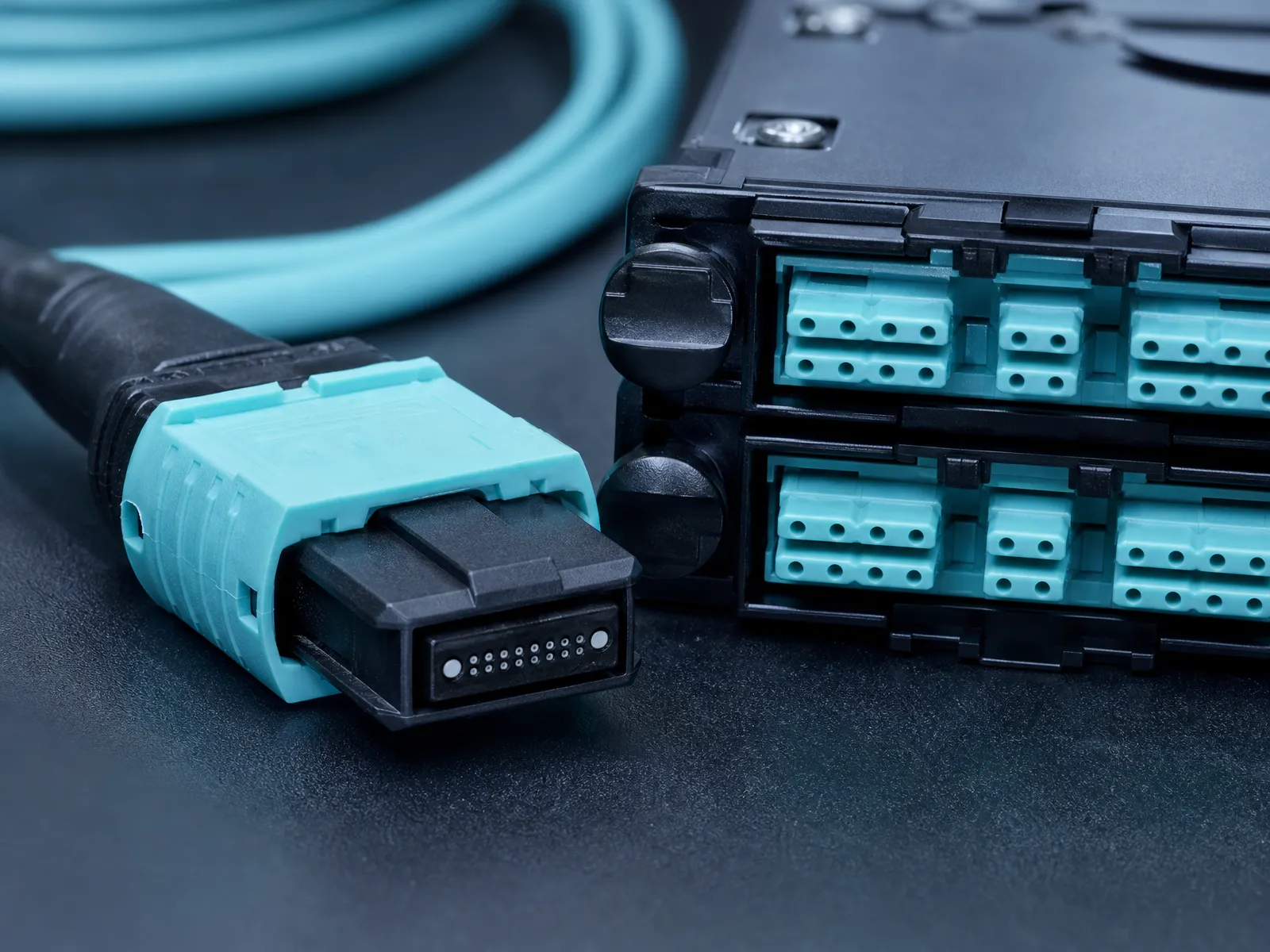
Fiber count and MPO format. Parallel multimode optics use MPO-12 (8 of 12 fibers active for SR4) or MPO-16 (SR8 and DR8). Single-mode parallel links use MPO-12 for 400GBASE-DR4 and MPO-16 for 800GBASE-DR8, while short-reach single-mode designs increasingly use duplex LC with WDM instead of a ribbon at all. The connector — not a preference — is dictated by the transceiver, which is why you spec the module before you order the trunk. The difference between an MPO and its MTP-branded equivalent is covered in our MPO vs MTP connectors guide.
Polarity. A multi-fiber trunk has three defined polarity methods (A, B and C), and the one you choose determines whether a signal leaving the transmit port arrives at a receive port at the far end. Get it wrong and the entire trunk is miswired with no component fault to find. This is the single most common commissioning failure in structured parallel links, and it is a design decision, not an install-time fix — our MPO polarity explained article covers method A/B/C and where each is used.
Duplex versus parallel at the panel. A multimode SR8 link is a 16-fiber ribbon arriving at a cassette that fans out to eight duplex pairs. Every cassette, patch panel and breakout is another set of mated pairs, each contributing insertion loss — at 400G and 800G, where the multimode channel allowance is 1.7–2.0 dB, that budget is the difference between passing and failing certification. Building the channel drawing before you buy, and planning the connector-loss allowance per mated pair, is covered in our 400G loss budget guide.
LC versus SC. For an in-room link, the connector question has a settled answer: LC, on both single mode and multimode. SC survives in FTTH/PON and older single-mode plant as the field-standard interface, but it is physically about twice the footprint of LC, and high-density DC panels are built around LC and MPO. If a vendor quotes SC for a new rack build, the question to ask is why.
None of this determines single mode versus multimode, and all of it determines whether the multimode option is viable at the density you need. A multimode fabric that needs two cassette hops per link is paying a hidden tax that the per-port optics saving has to cover.
A Four-Question Framework for Your Build
Work these in order. Each one narrows the field, and the first two usually settle it.
- What is the longest link that could ever need this fiber? Not the longest today — the longest the building will ever ask for. Over 100 m at 400G/800G, or over 150 m at 100G (which needs OM5 plus BiDi optics — 100GBASE-SR1.2 — not just a grade bump), multimode is already out at the higher rates. Under that, both families are still in play.
- What per-lane rate does the cable have to survive? If 100G-per-lane and above is on the roadmap within the asset's life, single mode removes the re-cable risk entirely. If the segment is a fixed rack-to-rack fabric that will stay inside the current rate envelope, multimode keeps its cost advantage.
- How many ports, and how many of them are short? Many short ports with low optics spend → multimode wins the arithmetic. Fewer, longer, higher-rate links → single mode. This is the question the bill of materials answers.
- How much existing plant must you respect? Installed OM4 trunks that still meet the target rate are an asset to reuse; installed OM3 that is already at its wall is a segment to replace, not to extend. Never design a new link to bridge two fiber families — the core sizes and wavelengths are incompatible.
If you have run all four and the answer is still "it depends", it usually means the design is genuinely mixed: multimode for the intra-rack and short intra-row fabric, single mode for every uplink, spine and crossing. That is not a compromise — it is what most new halls are building, and it is the pattern the IEEE numbers reward.
Where Single Mode Wins in 2026 — and Where Multimode Still Pays
Single mode wins on any link that crosses a room, any link whose distance is above 100 m at 400G or 800G, any dark fiber you intend to keep and re-light, every inter-building or campus DC run, and any fabric where you would rather pay once for optics than risk a re-cable. It also wins on inventory simplicity: one glass type for the whole site removes the "which fiber is this?" problem from every truck roll.
Multimode still pays inside the rack and on short, stable, high-port-count fabrics — top-of-rack to server, ToR to short leaf, and the dense intra-row links where the per-port optics price is multiplied by hundreds or thousands of ports and the distance never approaches the wall. OM4 running 100GBASE-SR4 to 100 m is not a legacy choice; it is the cheapest correct answer for that link.
The traps are at the edges. Multimode-only is a bet that no link will ever need to cross 100 m at the next rate — a bet that data-center floors lose more often than they win. Single-mode-everywhere is a simpler site, but it gives up real per-port savings on the thousands of short ports that are the majority of any build. A hybrid costs a little more discipline in labeling and a second set of spares, and it is almost always what the distances actually justify.
Procurement and Validation Checklist
The fiber decision is only half of a spec. These are the items that turn a good choice into a build that certifies.
- Jacket rating matched to the pathway. Indoor plenum (CMP) and riser (CMR) ratings are tied to building fire code; outdoor and LSZH-jacketed constructions apply where the run leaves the room or the market requires low smoke. The rating is a compliance requirement, not a preference — confirm it against the local code before you order.
- Bend radius within the pathway. High-density racks and tight trays punish a cable built for open runs; specified minimum bend radius and bend-insensitive single-mode fiber protect the loss budget where the cable is dressed.
- Channel insertion loss planned, then tested. At 400G and 800G, the multimode channel allowance is 1.7–2.0 dB and the single-mode DR8 allowance is 3.0 dB. Build the loss budget before procurement, then verify the installed channel with Tier-1 (and OTDR where splices are involved) — see our guide to testing fiber optic cable.
- Polarity and pinout documented before the first trunk is ordered. Method A, B or C, and gender, decided at design time and recorded per link.
- Standards and labeling. Structured-cabling practice (TIA-942 for data centers, ISO/IEC 11801 for the cabling system) exists to keep a hall maintainable by someone other than the person who built it; label the plant to it from day one.
- Per-assembly test data. At these loss margins, an insertion-loss and return-loss report per assembly, with traceability, is the difference between a spec sheet and a certified channel.
DYS Fiber Optic manufactures both families in-house — OS2 single-mode and OM3/OM4/OM5 multimode — across our indoor and outdoor ranges (UL OFNR/OFNP and CPR-classed jackets available) and builds OM3/OM4/OM5 and OS2 assemblies on our MPO/MTP data center cabling line, with 100% insertion-loss and return-loss testing before shipment. Because we make both, we have no product line to steer you toward. Send us your longest link, your target per-lane rate and your port count, and we will run the same four questions and recommend what we would install ourselves.
FAQ
When should you use single mode vs multimode in a data center? Use multimode for short intra-rack and intra-row links where the per-port optics cost dominates and the distance stays under about 100 m at 400G/800G — or under 150 m at 100G with OM5 and BiDi optics. Use single mode for anything that crosses a room, spans a floor or building, runs above 100 m at 400G or 800G, or must survive a future rate step. In practice most new halls are hybrid: multimode in the rack, single mode everywhere the rack has to reach.
What is the real difference between single-mode and multimode fiber? Core size and the light that fits in it. Single mode is ~9 µm and carries a single 1310/1550 nm laser mode to 10 km and beyond; multimode is 50 µm and carries many 850 nm modes to a few hundred meters, with reach shrinking as the line rate rises. The 125 µm cladding is identical, which is why they use the same connectors — and why mixing the two in one link fails.
What is OM1, OM2, OM3 and OM4 fiber? They are the multimode bandwidth grades, oldest to newest. OM1 is 62.5 µm legacy; OM2 is the first 50 µm grade; OM3 and OM4 are laser-optimized 50 µm grades specified to 2,000 and 4,700 MHz·km of effective modal bandwidth at 850 nm; OM5 adds 850–953 nm support for short-wave WDM. Only OS1/OS2 are single mode. (The full grade-by-grade reach table is in our OM1–OM5 grades compared guide.)
Is LC or SC better for a data center? LC. It fits twice the ports into the same panel space, pairs with MPO trunks in high-density cassettes, and is the standard interface on modern SFP/QSFP/OSFP ports for both single-mode and multimode. SC remains the field standard in FTTH/PON access networks but is too large for dense DC panels.
Can you mix single-mode and multimode fiber? No — not directly. The core sizes (9 µm vs 50 µm) and wavelengths (1310/1550 nm vs 850 nm) are incompatible: splicing them creates loss and reflections, and each transceiver is built for one fiber type. Keep the two plants separate and convert electrically, or replace the segment. If you are at the point of choosing which to standardize on, the reach table above and the four questions are the whole decision.